
Why Every App Is Turning Into a Mini‑AI Ecosystem

The Rise of AI Inside Apps
Artificial Intelligence has ceased to be a standalone product — today, it’s becoming a core capability embedded directly into applications across industries. Whether it’s chat assistants in productivity tools or recommendation engines in streaming apps, apps are increasingly turning into mini‑AI ecosystems.
This trend isn’t hype — it’s grounded in real technological shifts. Large language models (LLMs) like OpenAI’s GPT series and other AI systems are now sufficiently powerful, accessible via APIs, and cost‑effective enough to be integrated into everyday software experiences. These AI features can generate content, automate tasks, personalize interactions, and even extract insights from user data in real time.
In this article, we’ll explore why this is happening, how it works, and what it means for users, developers, and businesses.
1. The Technological Foundations — What Enables AI in Apps
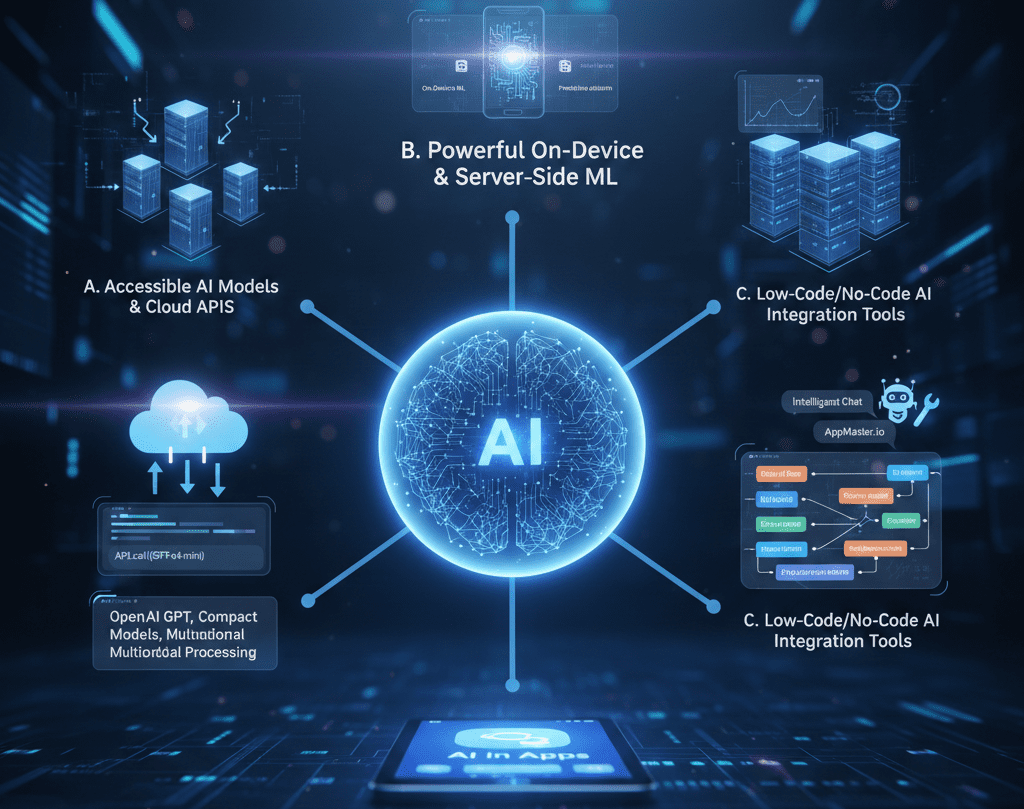
Several technological developments have converged to make AI in apps feasible at scale:
A. Accessible AI Models and Cloud APIs
Modern AI models, especially large language models like GPT, are available through APIs and cloud services. This means developers don’t have to build or train models from scratch — they can simply call an API and integrate AI functionality with minimal overhead.
For example, OpenAI’s GPT variants (including compact models like o4‑mini) can be accessed via APIs and integrated into apps to handle text generation and even multimodal processing (text + images).
B. Powerful On‑Device and Server‑Side ML
Alongside cloud AI, many apps now use on‑device machine learning (ML) for tasks like image recognition, personalization, and predictive analytics. Research on AI usage in mobile apps shows that both on‑device and cloud‑based AI are becoming standard.
C. Low‑Code/No‑Code AI Integration Tools
Platforms and development tools now offer built‑in AI modules, making integration simpler and cheaper. This trend lowers the barrier for companies of all sizes to add AI features — from intelligent chat support to content generation.
Canva AI vs Adobe Express vs Figma: Best Design Tool for Non-Designers in 2026?
Why Every Gadget Looks the Same in 2025 — and Why That’s a Problem
2. What We Mean by “Mini‑AI Ecosystem”
When we say mini‑AI ecosystem, we mean an app that contains multiple AI‑enabled capabilities working together to deliver an enhanced user experience. These capabilities can include:
- AI Assistants / Chat Interfaces
- Content Generation (text, suggestions, code)
- Predictive Personalization & Recommendations
- Natural Language Understanding (NLU)
- Automation of Repetitive Tasks
For instance, a note‑taking app might include summarization, intelligent search, and auto‑tagging — all powered by AI. A fitness app might offer personalized plans based on user patterns. These are not separate tools — they are integrated into the core app experience.
This is qualitatively different from simply having an AI feature — it means the app’s architecture and value propositions are now AI‑aware and AI‑driven.
3. Why Companies Are Embedding AI Into Apps
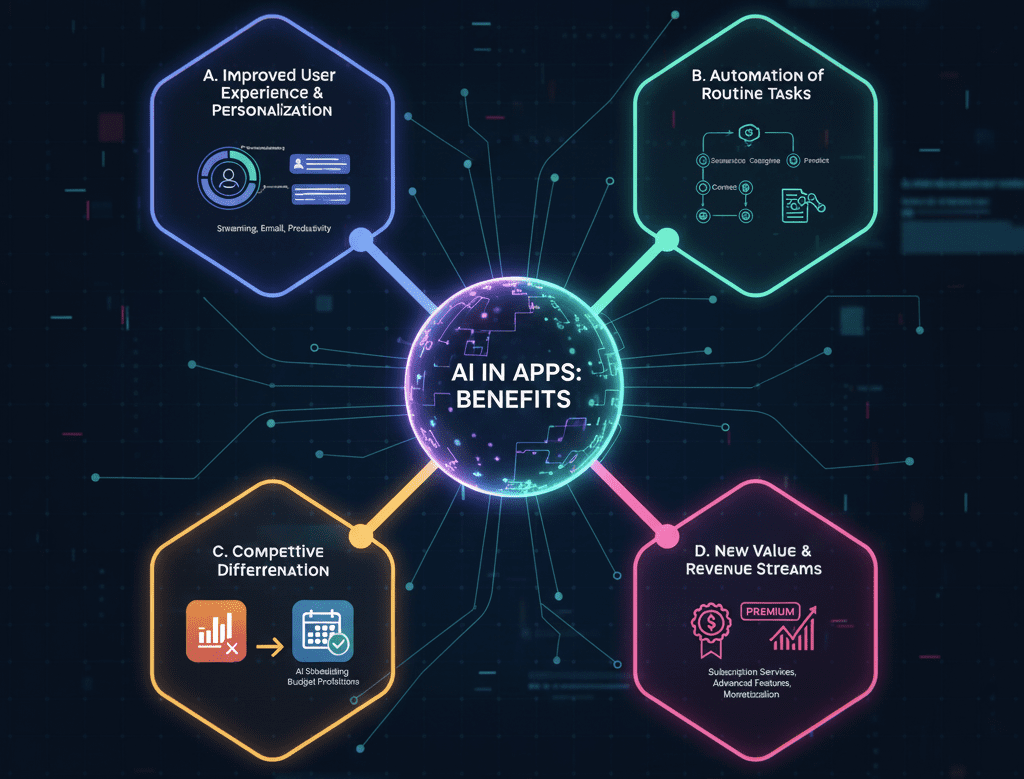
A. Improved User Experience and Personalization
AI allows apps to go beyond static features and offer dynamic, personalized experiences. Rather than generic interfaces, users get content tailored to their behavior, preferences, and context. For example:
- Recommendation systems in streaming apps adapt to what you watch and when.
- Email clients assist with drafting messages or summarizing threads.
- Productivity tools suggest actions based on user inputs.
Studies show that these capabilities enhance engagement and satisfaction when done right.
B. Automation of Routine Tasks
AI enables apps to automate repetitive or low‑value tasks — summarizing, categorizing, correcting, predicting — freeing users to focus on more meaningful work. For developers, this means building smarter software without reinventing core AI workflows.
C. Competitive Differentiation
In crowded markets, AI features are a way to compete. A calendar app with AI scheduling recommendations or a banking app with AI‑powered budget predictions stands out from competitors that offer only static task lists or charts.
D. New Value and Revenue Streams
AI in apps often becomes premium functionality. Companies can monetize advanced features as subscription services (e.g., advanced AI assisted composition or data analysis). This creates new revenue opportunities beyond classic in‑app purchases and ads.
4. Real‑World Examples of AI in Apps
Here are documented cases where major applications have integrated AI:
Microsoft 365 Copilot
Microsoft has integrated an AI assistant into its productivity suite (Word, Excel, Outlook), capable of generating content, summarizing emails, and helping with tasks using contextual data. This turns a suite of static tools into an interactive AI experience.
Mobile Apps with AI Assistants
Research analyzing thousands of Android applications shows that AI capabilities are increasingly common — particularly in areas like computer vision and natural language processing, used for tasks like object detection and automated interactions.
Consumer & Content Apps
Streaming or media apps integrate AI recommendation engines to drive personalized browsing experiences. Fitness, shopping, and education apps use AI to adapt content and suggest next steps based on user behavior. These aren’t futuristic; they’re everyday examples of how AI is operating behind the scenes.
5. The Benefits for Users — What Changes for You
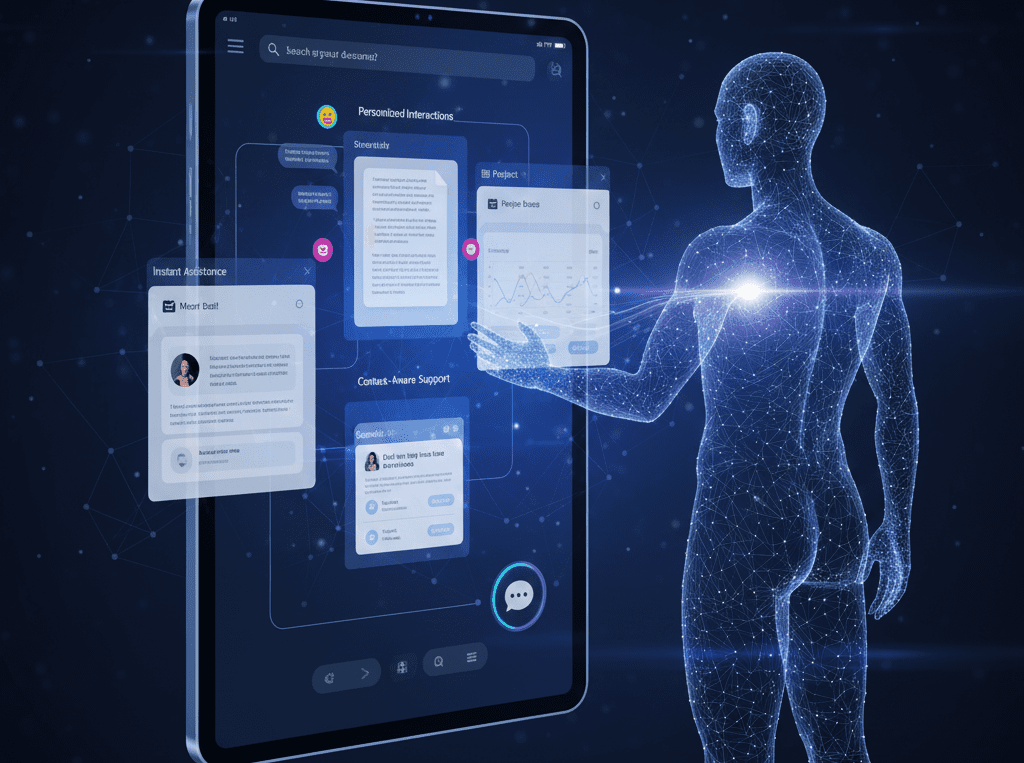
Personalized Interactions
AI helps include personalized recommendations, summaries, and responses in real time, reducing manual effort.
Instant Assistance
Instead of opening a separate chatbot or service, users can ask questions within the application itself — boosting productivity.
Context‑Aware Support
AI models can understand context (e.g., your chats, documents, or recent actions) and make suggestions specific to your situation.
Seamless Multi‑Tasking
Rather than switching between tools, users can complete multiple tasks within a single interface — drafting text, searching data, summarizing info, etc.
These improvements can transform an app from a static tool into an intelligent partner.
6. Challenges and Risks of AI in Apps — A Clear View
Despite the benefits, real challenges need to be acknowledged.
A. Data Privacy and Ethics
AI features often rely on large amounts of user data to make accurate predictions. This creates privacy risks unless handled transparently and securely. Poor communication about how data is used can erode trust.
B. AI Bias and Transparency
Many AI models lack interpretability (“black‑box problem”), and biases in training data can lead to unfair or unexpected outcomes. This is a widely recognized issue in the industry that requires ongoing monitoring and mitigation by developers.
C. Cost and Technical Complexity
Building and maintaining reliable AI systems isn’t free. There are ongoing costs — from cloud processing to developer expertise — and risks of technical debt if AI components are not carefully managed.
D. User Dependency and Over‑Reliance
When users come to depend on AI for critical thinking or creative tasks, there’s a risk of skill degradation — a psychological and workflow concern increasingly discussed among experts.
7. How Developers Build These AI Features
Integrating AI into an app typically involves:
- Selecting the right AI model or service, often via APIs.
- Ensuring data quality so that AI outputs are accurate and relevant.
- Designing UX around AI behavior, so users understand and trust its suggestions.
- Balancing on‑device and server‑side processing, depending on latency, privacy, and costs.
- Monitoring and iterating, because AI systems are only as good as their data and tuning.
Importantly, developers must consider ethical and legal standards, especially when user data is involved.
8. The Future — What Comes Next
A. Cross‑App AI Agents
Rather than each app hosting a separate AI capability, we may see centralized AI agents that can work across apps, orchestrating tasks in a coordinated way. Such agents could handle scheduling, communication, document composition, and more without manual input.
B. Standardization of AI Components
As best practices emerge, standardized AI components (like secure APIs, bias evaluation metrics, and privacy frameworks) will make AI integration safer and more predictable.
C. Broader Adoption in Every Industry
AI in apps will spread beyond productivity and media — into healthcare, finance, transportation, and IoT, fundamentally changing how software interacts with people.
Final Thoughts
Apps are no longer just static interfaces connecting users to data and services. They are evolving into AI‑driven ecosystems that understand, assist, predict, and personalize. This is not a speculative claim — it reflects the real capabilities of modern AI, developer tools, and user expectations.
Understanding why this shift is happening, how it is implemented, and what its benefits and risks are is crucial for anyone building or using software today.
AI in apps is a structural evolution — one driven by technology, economics, user behavior, and data capability. And it’s here to stay.